Slotornado Casino App
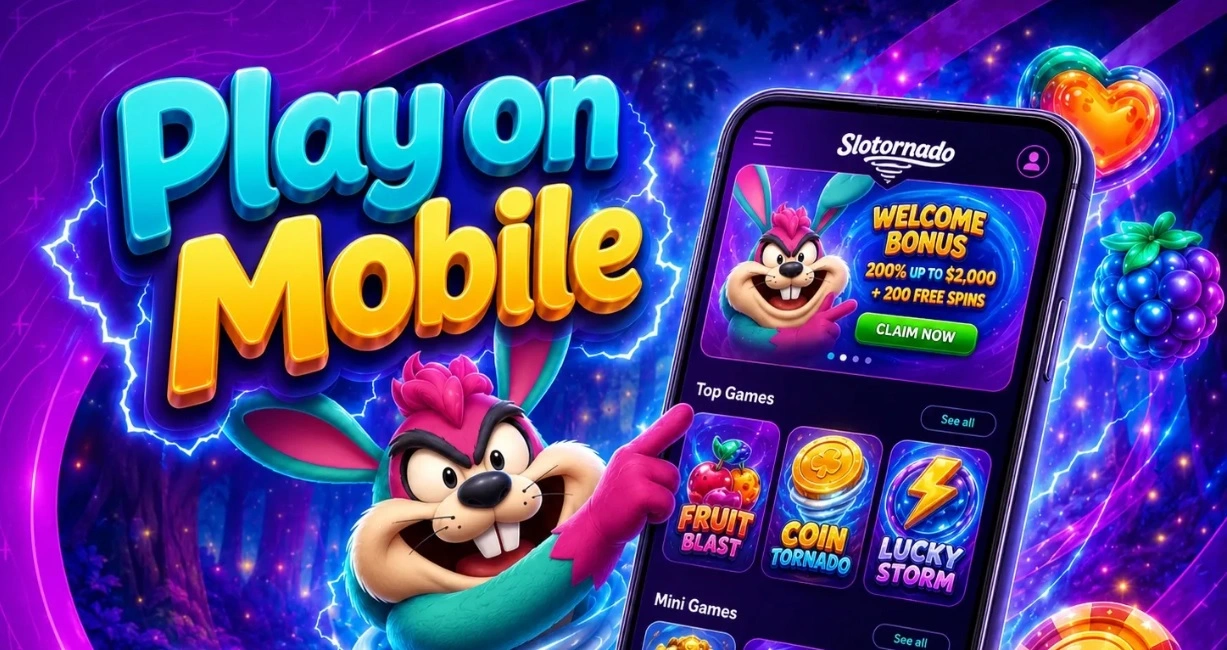

At Slotornado, we built our mobile experience so you can carry the entire casino in your pocket. Whether you're waiting for a coffee or relaxing at home, the Slotornado app brings our full slots library, live tables and promotions straight to your phone or tablet. There's nothing to download from an unofficial store and nothing complicated about getting started - we designed the whole process to be quick and safe.
Here at Slotornado Casino, we know players want convenience without sacrificing quality. That's why our mobile platform mirrors the desktop site feature for feature, from game variety to banking options, while staying light enough to run smoothly on almost any device.
Security and Licensing of the Slotornado App
We operate under an e-gaming licence issued by the Tobique Gaming Commission, and that same regulatory framework covers every transaction made through our mobile platform. Identity verification is required before any withdrawal is released, which protects both your account and our community of players. If a dispute arises, EGIS provides an independent alternative dispute resolution channel under the Commission's rules.
We never ask you to install anything outside our official domain, and we strongly discourage using a VPN to bypass regional restrictions - doing so can lead to confiscated winnings under our general terms.
Getting the Slotornado App on Your Device
We offer our app through the browser-based progressive system, meaning you don't need to search app stores or worry about outdated versions. Instead, you simply add our icon to your home screen and launch it like any native application.
For Android Users
- Open your mobile browser and go to slotornado.com
- Tap the menu icon and select "Add to Home Screen"
- Confirm the installation prompt
- Launch the Slotornado app icon from your home screen
- Log in or register to start playing instantly
For iOS Users
- Visit slotornado.com using Safari
- Tap the Share icon at the bottom of the screen
- Select "Add to Home Screen"
- Name the shortcut and confirm
- Open the new icon to access our full casino app
Because the Slotornado Casino app runs through your browser engine, updates happen automatically in the background. You'll always have the latest version without manually checking for patches.
Logging In and Account Access
Once installed, signing in to Slotornado takes seconds. We ask for your username or email and password, and the app remembers your session so you don't have to re-enter details every time. If you've forgotten your credentials, our recovery process works the same way it does on desktop, sending a reset link to your registered email.
Players who haven't registered yet can create an account directly from the app. We'll walk you through currency selection (EUR, USD, AUD, CAD or NZD), locale preferences and verification requirements, so your first Slotornado registration is smooth from the start.
Gaming Library Inside the App
We've made sure the mobile catalogue isn't a stripped-down version of the desktop site. You'll find the same 14,000+ titles from 86 providers, including Pragmatic Play, Evolution, NetEnt, Hacksaw Gaming and Yggdrasil, all optimized for touchscreen play.
- Slots, Megaways and bonus-buy titles
- Jackpot slots with progressive prize pools
- Live casino tables - roulette, blackjack, baccarat and card games
- Crash games, mines and instant games
- Video poker and scratch cards
- Craps and specialty tournaments
Our live dealer streams from Evolution, Pragmatic Play Live, Ezugi and nine other studios load quickly even on mobile data, and the interface automatically adjusts table layouts to fit smaller screens.
Banking From the App
Deposits and withdrawals work the same way they do through the browser. Visa, Mastercard, e-wallets, bank transfer and crypto via CoinsPaid are all supported, with a minimum deposit of EUR 20 (or the equivalent in USD, AUD, CAD or NZD, with slightly higher minimums for welcome-package and crypto bonuses).
| Limit | Amount |
|---|---|
| Minimum Deposit | EUR 20 / USD 20 / AUD 30 / CAD 30 / NZD 35 |
| Minimum Withdrawal | EUR 20 or crypto equivalent |
| Daily Withdrawal Cap | EUR 1,000 |
| Weekly Withdrawal Cap | EUR 4,000 |
| Monthly Withdrawal Cap | EUR 10,000 |
Withdrawal requests submitted through the app are processed within 72 hours of approval, and the actual payout speed depends on the method you've chosen along with your verification status.
Claiming Your Slotornado Bonus on Mobile
One of the biggest advantages of playing through our app is that every promotion available on desktop is also available on mobile. Our welcome package is a good example of how generous things get once you join us.
| Offer | Details |
|---|---|
| Welcome Package | 325% up to EUR 6,000 + 400 free spins across four deposits |
| 1st Deposit (code FIRST) | 100% up to EUR 1,500 + 100 free spins |
| 2nd Deposit (code SECOND) | 75% up to EUR 1,500 + 100 free spins |
| 3rd Deposit (code THIRD) | 75% up to EUR 1,500 + 100 free spins |
| 4th Deposit (code FOURTH) | 75% up to EUR 1,500 + 100 free spins |
We should mention that we don't currently run a Slotornado no deposit bonus - our promotions are structured around deposit matches and free spins instead, which lets us offer much larger totals than a typical casino no deposit bonus. If that changes, you'll see it advertised directly inside the app's promotions tab. For more details, check our Slotornado bonus page.
Codes can be entered during the deposit flow in the Slotornado casino app exactly as they would on desktop, and wagering requirements, validity periods and maximum win caps apply identically across both platforms.
Customer Support While Using the App
We offer several ways to reach our team directly from your mobile device:
- Live Chat: available 24/7 inside the app
- Email: support@slotornado.com
- Contact Form: accessible from the support menu
- FAQ Section: built into the app for quick answers
Why Players Choose Our Mobile Platform
- No app store download required - instant access from your browser
- Automatic updates with zero manual maintenance
- Full game library, not a limited mobile selection
- Same bonuses, VIP points and cashback as desktop
- 24/7 live chat support built directly into the app
Our VIP Club points also accumulate identically whether you play through the Slotornado app or your desktop browser, so switching devices never costs you progress toward higher tiers or weekly cashback.

Final Thoughts
We think the Slotornado Casino app gives you everything the full site offers, just reshaped for a smaller screen. From the welcome package to our live dealer tables, nothing is held back on mobile. If you haven't tried logging in from your phone yet, now's a good time to add us to your home screen and see the difference for yourself.
FAQ
Do you have a dedicated app in the app stores?
We don't distribute through Google Play or the App Store. Instead, we offer a browser-based app you add to your home screen, which updates automatically and avoids store restrictions.
Is the Slotornado login the same on mobile and desktop?
Yes, your username and password work identically across both platforms, and your balance, bonuses and VIP status stay synced wherever you play.
Can I claim a Slotornado casino bonus directly from the app?
Yes, all our deposit bonuses, including the welcome package, can be activated by entering the relevant code during your deposit in the app.
Do you offer a no deposit bonus through the app?
We currently don't run a no deposit bonus. Our promotions are built around deposit matches and free spins, which lets us provide a larger total value through the welcome package instead.
Is the app safe to use for deposits and withdrawals?
Yes, we use the same licensed, verified banking infrastructure on mobile as we do on desktop, including identity checks before any payout is released.
What devices support the Slotornado app?
Our app runs smoothly on most modern Android and iOS devices through your mobile browser, with no minimum storage requirement since nothing is installed as a native file.
Content updated: October 24, 2026